
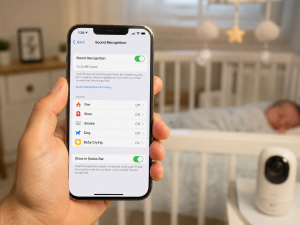
Want a simple way to keep an eye on your baby without buying new gear? The short answer is yes—you can learn how to use iPhone as baby monitor with tools like FaceTime, Sound Recognition, or baby monitor apps. I first tried this with an old iPhone during a family trip, and it worked much better than I expected. In this guide, I’ll share what works, what does not, and how to set up a safe and reliable baby monitoring system at home.
H2: Quick Answer: How to Use iPhone as Baby Monitor
Yes, you can use an iPhone as a baby monitor. The quick answer is that you can use Sound Recognition, FaceTime, or a baby monitor app. Each option helps you hear or see your baby from another room. The best choice depends on whether you want cry alerts, live video, or remote access.
H2: Understanding How an iPhone Works as a Baby Monitor
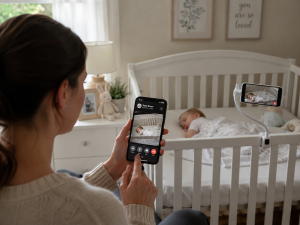
An iPhone can work like a baby monitor. The simple answer is that it uses its microphone, camera, and internet connection to help you watch your baby. You place the phone near the crib. Then you check alerts, sound, or video from another device.
I tried this while staying with family. The quick answer is that an old iPhone worked better than I expected. I did not want to carry extra gear. After a few minutes of setup, I could keep an eye on the baby from another room.
H3: Audio Monitoring vs Video Monitoring
Audio monitoring lets you hear your baby. Video monitoring lets you hear and see your baby. The short answer is that audio saves battery, while video gives more details.
For daytime naps, audio may be enough. For nighttime sleep, many parents like video. It helps them check on the baby without walking into the room.
Think of audio as a doorbell. It tells you when something happens. Video is like a window. It lets you see what is going on right away.
H3: Built-In Apple Features vs Third-Party Apps
Apple already includes tools that can help. The quick answer is that Sound Recognition can listen for a baby crying and send an alert.
Baby monitor apps do more. Many apps offer live video, motion alerts, cry alerts, and two-way audio. Some even let you monitor your baby when you are away from home.
From my experience, Apple’s built-in tools work well for basic needs. If you want more control and features, a baby monitor app is often the better choice.
H3: When an iPhone Baby Monitor Is a Practical Solution
An iPhone baby monitor works well in many situations. The short answer is that it is great for travel, short-term use, and families with spare devices.
Many people already own an older iPhone. Instead of buying new equipment, they can put that phone to work in the nursery.
This setup is also handy when visiting family, staying in a hotel, or spending time in a vacation rental. It is quick, easy, and low cost.
H3: Situations Where a Dedicated Baby Monitor May Be Better
A dedicated baby monitor may be a better fit for daily use. The simple answer is that it is built for one job and can run for long hours.
Many baby monitors have stronger night vision and better battery life. Some also have more stable connections.
If you need round-the-clock monitoring, a dedicated unit may be more reliable than using a phone every day.
H2: What You Need Before Setting Up How to Use iPhone as Baby Monitor
Before you start, gather a few things. The quick answer is that you need an iPhone, a second device, power, and internet access.
A little prep can save time later. I once set everything up and then noticed the phone battery was almost dead. Since then, I always check power first.
Good preparation makes setup faster and smoother.
H3: Required Devices and Hardware
You need at least one iPhone near the crib. The simple answer is that a second device helps you monitor from another room.
Useful items include:
One iPhone near the baby
A second iPhone, iPad, Mac, or Apple Watch
A charger
A phone stand
A phone stand helps keep the camera in place. This makes video monitoring much easier.
H3: Internet and Wi-Fi Requirements
A good Wi-Fi connection is important. The quick answer is that strong Wi-Fi means fewer delays and fewer dropped connections.
Weak signals can cause frozen video or missed alerts. That can be frustrating when you need quick updates.
Test the signal in the nursery before bedtime. A few minutes of testing can prevent problems later.
H3: Apple ID and Device Compatibility
Apple devices work best when they are updated. The short answer is that newer software often means fewer issues.
Make sure your devices are signed in and updated. This helps features work as expected.
Checking compatibility first can save a lot of troubleshooting later.
H3: Power Supply and Battery Considerations
Baby monitoring can drain a battery fast. The simple answer is that the monitoring phone should stay plugged in.
Video calls and streaming use a lot of power. A phone that starts at 100% may not last all night.
Keep cords far from the crib. Safety should always come first.
Before you choose a setup method, it helps to compare the main options.
| Setup Method | Live Video | Audio Alerts | Remote Access | Extra Cost |
|---|---|---|---|---|
| Sound Recognition | No | Yes | Limited | No |
| FaceTime | Yes | Yes | Yes | No |
| Baby Monitor Apps | Yes | Yes | Yes | Usually |
Why this matters: Each method has a different goal. Some focus on simple cry alerts. Others focus on live video and advanced monitoring tools.
FAQs for How to Use iPhone as Baby Monitor
Can I use an old iPhone as a baby monitor?
Yes. An old iPhone can work well as a baby monitor. You can use FaceTime, Sound Recognition, or a baby monitor app to watch or hear your baby.
Do I need Wi-Fi to use an iPhone as a baby monitor?
Usually, yes. Most ways to use an iPhone as a baby monitor need Wi-Fi for alerts, audio, or video. A strong signal helps prevent delays and dropouts.
What is the best app for how to use iPhone as baby monitor?
The best app depends on your needs. Some apps offer live video, cry alerts, and two-way audio. Compare features to find the right fit for your family.
Is using an iPhone as a baby monitor safe?
Yes, if used correctly. Keep the iPhone and charging cable far from the crib. Also, use secure passwords and trusted apps to protect your privacy.
Can I monitor my baby from another room with an iPhone?
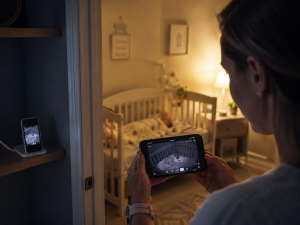
Yes. You can monitor your baby from another room with FaceTime or a baby monitor app. This lets you see or hear your child without entering the nursery.

Shahin is the owner and creator of BabyCareAdvisor, a trusted resource for practical baby care and parenting guidance. He shares helpful, easy-to-understand information about baby products, car seats, strollers, breast pumps, baby safety, and everyday parenting. His goal is to help parents make informed decisions by providing clear, practical, and research-based advice.